
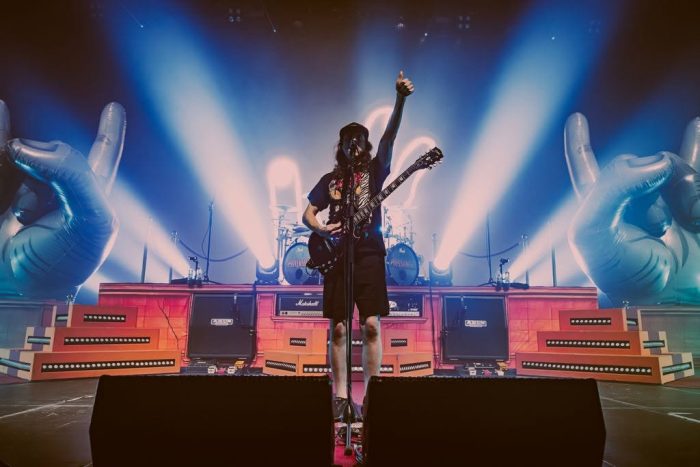
According to designer and programmer Gregory ‘Gru’ Dutein of Chirac Design – who has been reflecting the band’s multi-faceted music and stage persona in light since 2017 – an Ultra Vomit show should be seen as a “burlesque performance”.
Each song is essentially a tribute to a specific style or artist from the metal, hardcore, punk, or even mainstream scene. Visually, every track has a very distinct identity, reflecting the codes of the style being parodied. At the same time, the show remains very ‘alive’, with constant improvisation and audience interaction. That’s why I always keep live faders ready.
Although the band plays to a click with some pre-programmed sequences, Dutein runs the lighting manually without timecode, He explains that he does this to preserve an organic feel. Doing so requires that he maintain tight synchronisation between lighting, video, and music.
To help him do this, he relies on his ChamSys MagicQ MQ70 Compact Console. “We actually started with a ChamSys MQ80, but we were immediately drawn to its compactness and efficiency,” he explained. “That philosophy still holds true today — the MQ70 remains a powerful, reliable, and tour-friendly solution.”
There are many reasons why Dutein is so devoted to his console. For starters, given his busy touring schedule. First, there is the matter of time savings. He values the Fan Mode (no toggle) switch, which when combined with Subselect Pair allows X-axis positioning. There is also the Offset Patch, which is essential for fast position programming, and the Expand Palette, which he “uses constantly.”
Dutein organises his show files carefully to account for his client’s fast-paces shows In his first layer, all groups and patterns are organised vertically with a clear hierarchy (for example, Spots, Spot Back, Spot Front), using colour tags in the patch for clarity. Layer two is the programming layer, with extended group views and colour/beam patterns. The third layer is divided into four sections:
The top left is devoted to song pages for instant access. The bottom left covers the main cues stack. The top right is the Execute Page. The bottom right is the Full Group Master access.
Dutein also maintains a dedicated programming page to test rigs and rebuild presets quickly, again using Playback.
The time-savings features designed into his console are also invaluable to Dutein. These include Fan Mode (No Toggle), combined with Subselect for x-access positioning, as well as Offest Patch for fast position programming, and Expand Palette. Other features that help him adjust quickly to the various venues and house rigs he encounters include Group Cues, Morphing, Cloning, and Custom Macros. “All of these features allow me to adapt very quickly to different rigs, whether in venues or festivals,” said Dutein.

